Inkfinite Print Solutions
Car Door Pillars
Car Door Pillars
Couldn't load pickup availability
Description
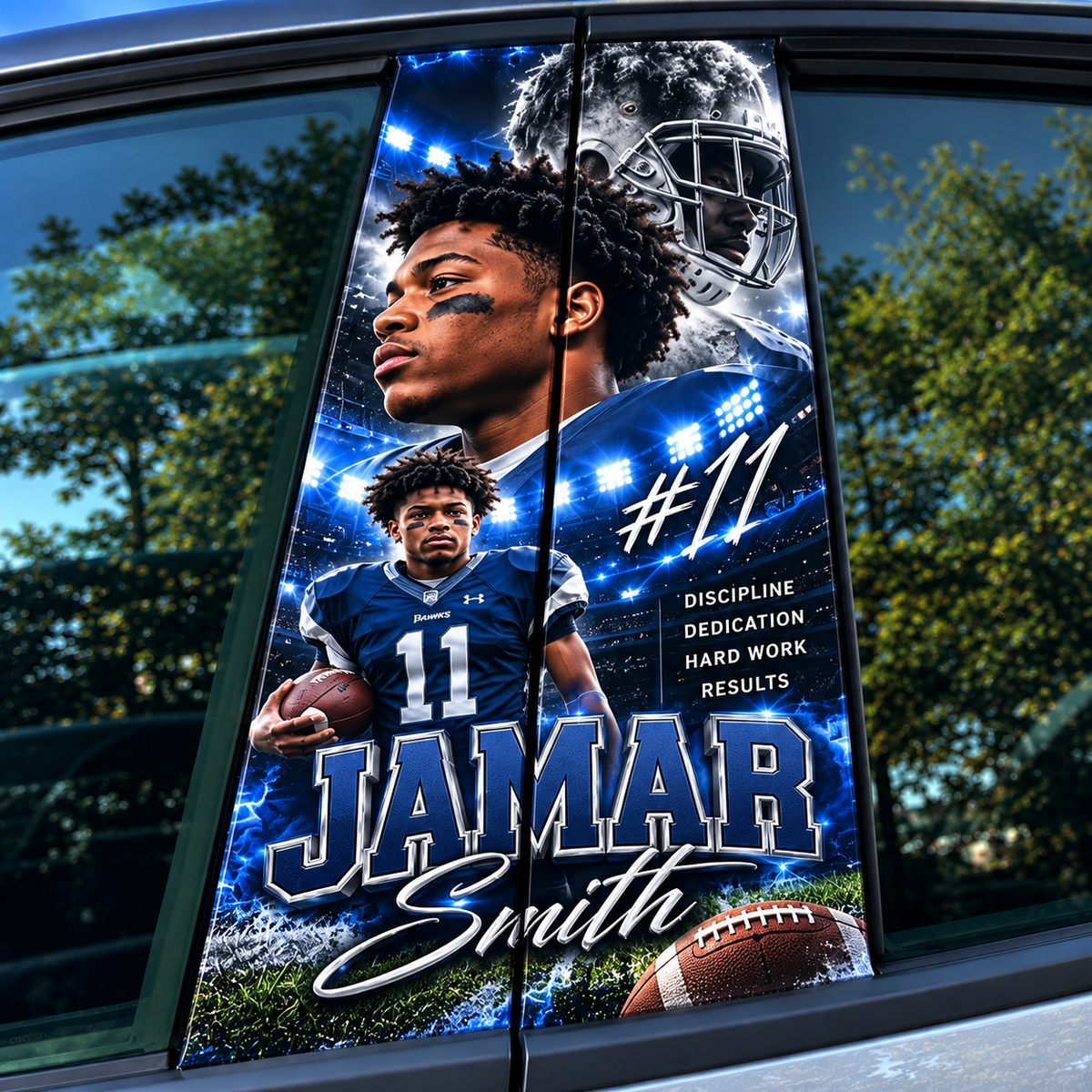
Customize your vehicle with custom Car Door Pillar Graphics from Inkfinite Printsolutions! Add a unique, personalized look to your ride with custom artwork printed on premium vehicle film designed for automotive graphics.
Each order includes a set of 2 graphics.
Important Measuring Instructions: Customers are responsible for measuring their door pillars accurately. You must add a minimum of 2 inches of bleed to each end of your measurements to allow for trimming and proper fitment. Please double check all measurements before placing your order. (Please read How To Measure down below)
Artwork Disclaimer: AI-generated artwork may appear pixelated, grainy, blurry, or low in resolution, especially when enlarged for printing. Inkfinite Printsolutions is not responsible for pixelated, grainy, or low-quality artwork supplied or approved by the customer. Please review your artwork carefully before ordering.
Specifications
- Brand: Inkfinite Printsolutions
- Quantity: Set of 2 graphics
- Material: Premium vehicle film
- Measurements: Customer-provided
- Bleed Requirement: Minimum 2 inches on each enD
- Turnaround Time (TAT): 2–5 business days
- Artwork Quality: Final print quality depends on the resolution and quality of the submitted artwork.
- Printing Requirements: Standard inkjet printers and regular sticker paperare not suitable materials for producing these graphics.
Please Note: Customers are responsible for providing accurate measurements and reviewing their artwork before ordering. By placing an order, customers acknowledge that low-resolution, pixelated, or grainy artwork may affect the final printed result.
Production Turnaround: Estimated turnaround time is 2–5 business days.
HOW TO MEASURE YOUR CAR DOOR PILLARS
STEP 1: MEASURE THE HEIGHT
Measure the black pillar area from top to bottom, excluding window trim.
STEP 2: MEASURE THE WIDTH
Measure the width at the top, middle, and bottom. Use the widest measurement.
STEP 3: ADD 2 INCHES
Add 2 inches to the total height and width for trimming.
Example: 6” × 17” pillar → 8” × 19” print.
STEP 4: UPLOAD YOUR ARTWORK
Upload your print ready artwork with the final measurements.
⚠️ IMPORTANT
- Keep all important artwork (faces, names, text, etc.) within the actual black pillar area, away from tapered edges.
- The additional 2 inches are for trimming ONLY.
- Each order includes 2 pillar wraps (one per side).
- Customers are responsible for accurate measurements and artwork placement.
Share